NTR-AR(pronounced like Interior) is a spatial planning mobile application that enables users to design their living spaces using Augmented Reality. Originally built as a functional iOS prototype during a 36 hour hackathon, I revisited the project to perform a thorough UX overhaul.
Around the time of the hackathon, my friends and I had just moved into a new space, which came with several challenges. Being at university, we were moving at least once a year, and there was always the difficulty of knowing what would fit where in such vastly different spaces. Sometimes we had the furniture and decor but the layout didn’t work; other times we had the space but nothing to fill it with, and we had a hard time bridging those two states mentally.
When breaking down these issues, we categorised them into three main pain points:
Cognitive Overload: Managing inventory, measurements, and aesthetics simultaneously creates decision fatigue, often resulting in rooms that lack visual cohesion.
Restrictive Existing Solutions: Current AR apps are often limited in functionality; most prioritise selling new products or only offer a limited set of virtual furniture and do not allow users to visualise how their own furniture and belongings will fit in a new space.
Lack of Guidance: Users rarely know where to start when faced with the intimidating "blank canvas" of an empty room.
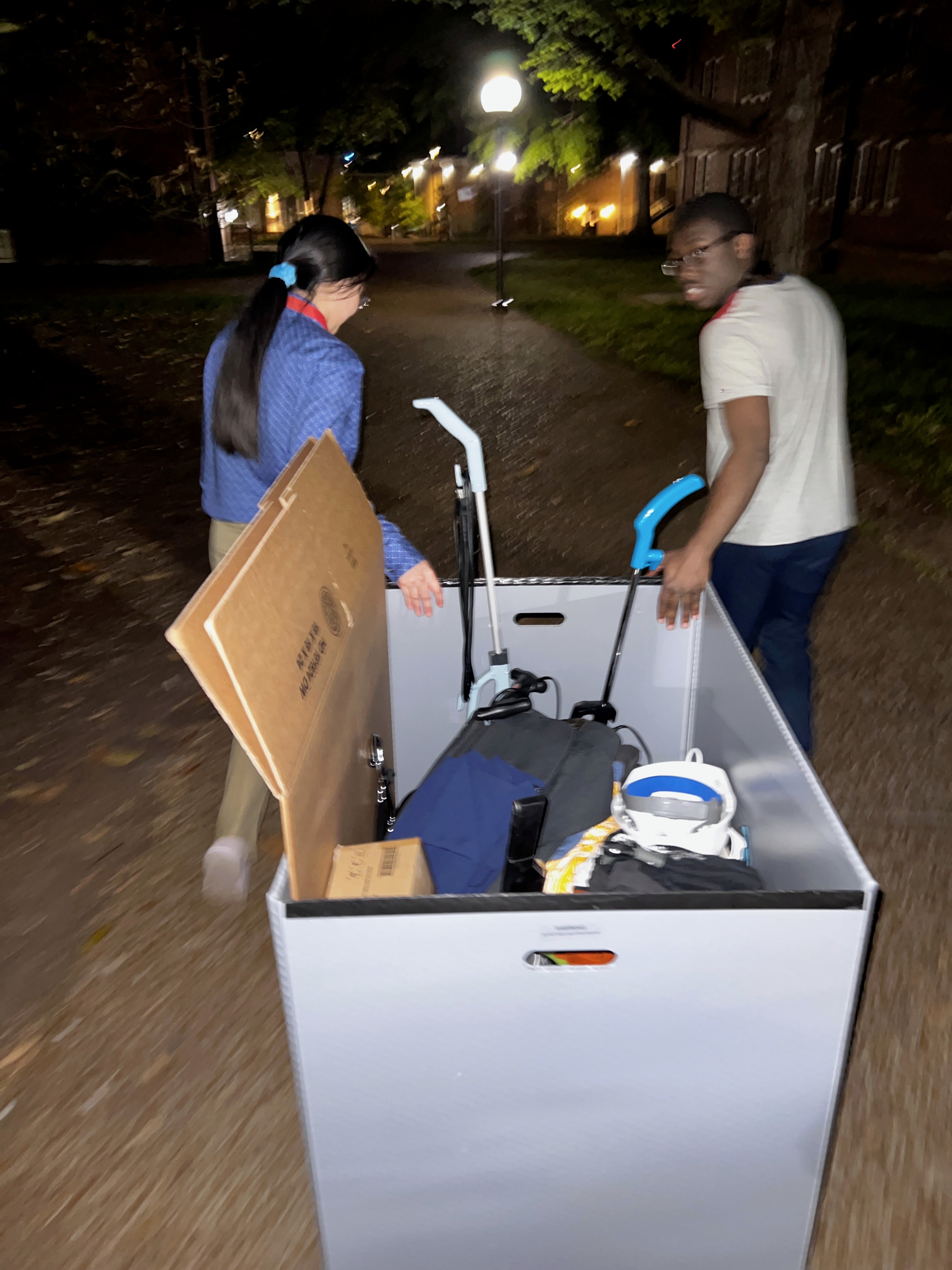
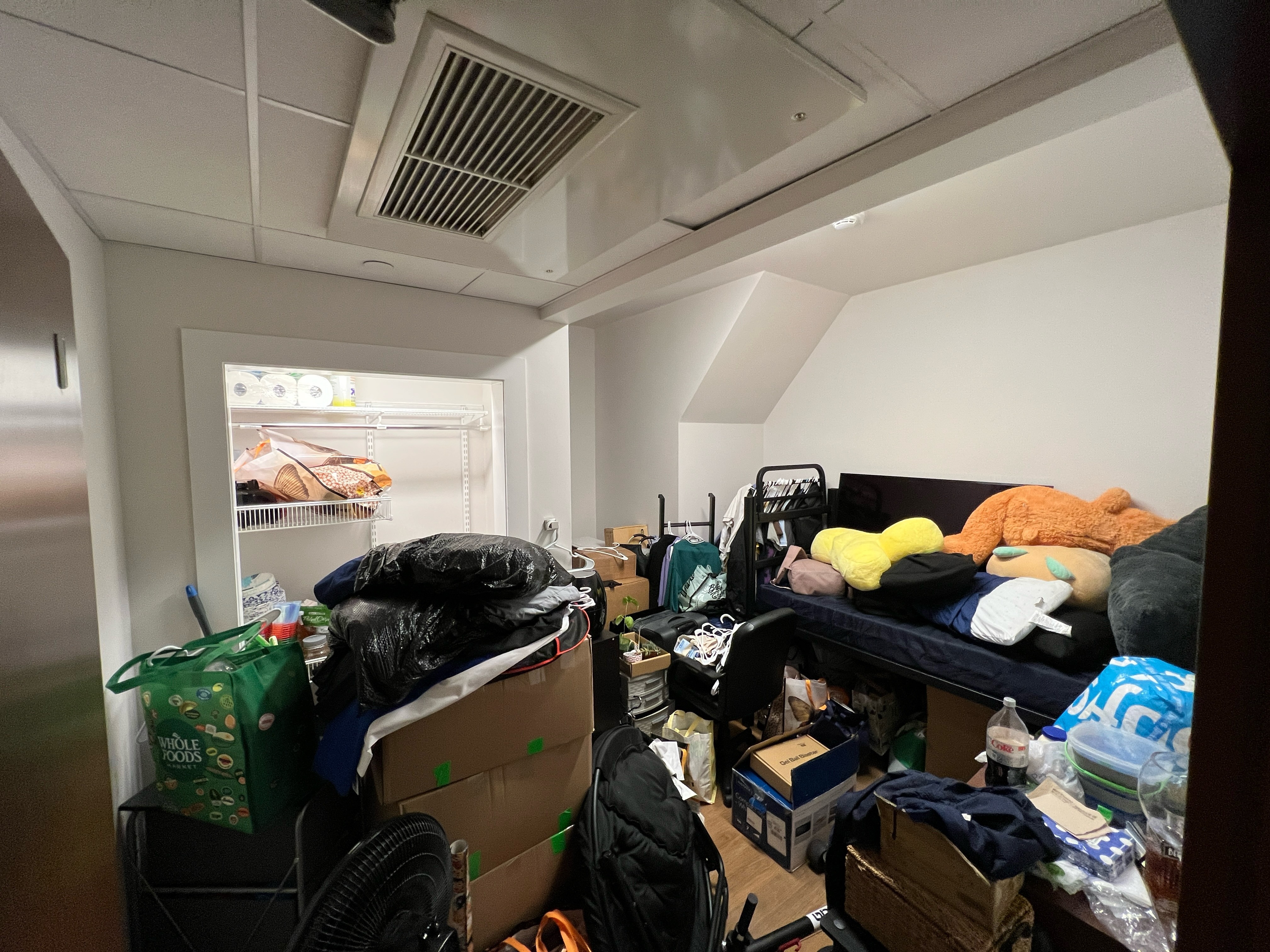
The reality of these friction points can be seen in these images sourced from my friends During my discovery phase.the lack of any plan manifests physically as cluttered, disorganised spaces and inefficient moving logistics.
Redesigning the experience of NTR-AR meant that we had to move away from a tool-first interface to a home-centred one. The new information architecture is centred around a digital replica of the user's home with discovery and item management a swipe away.
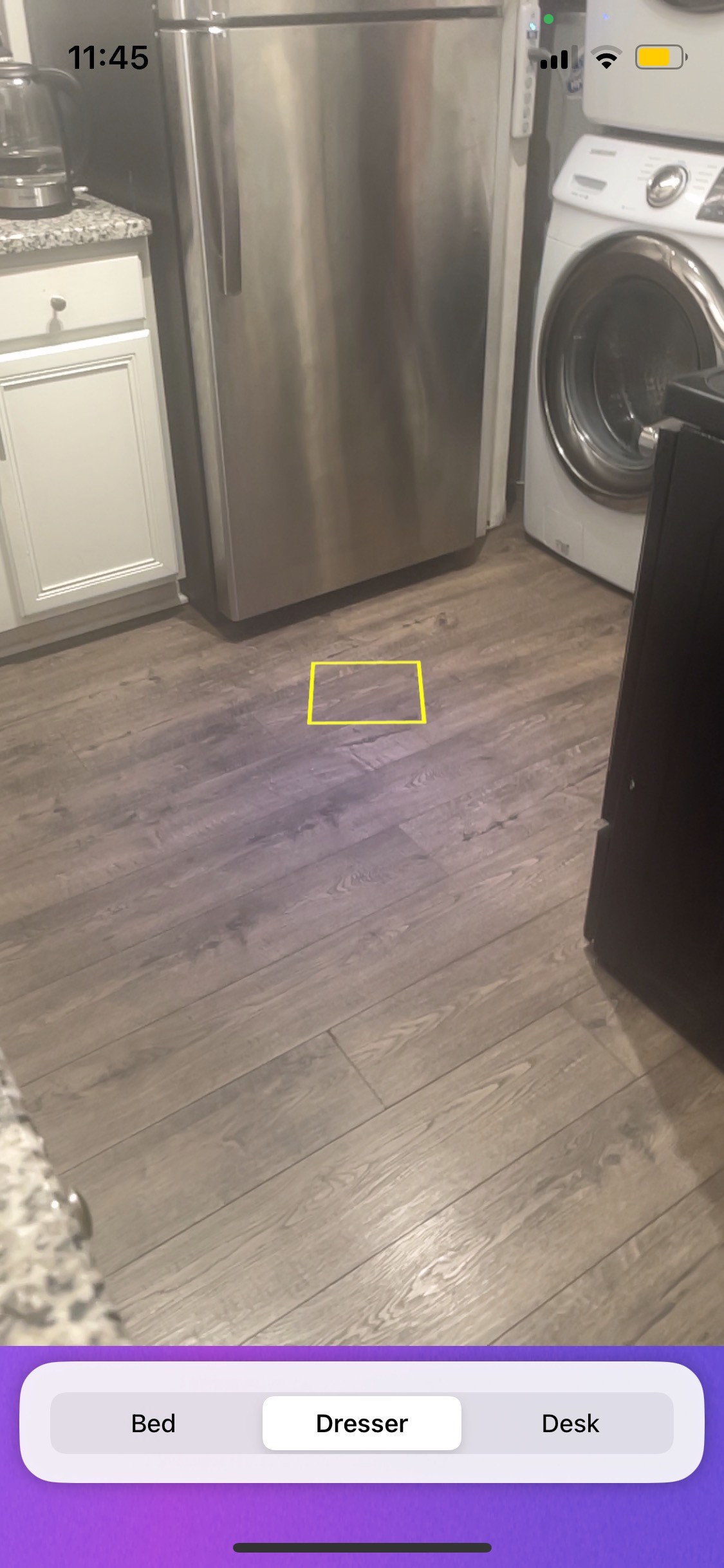
The Starting Point (Hackathon MVP)
The original interface was purely functional. Users were immediately greeted by camera feed with a floating reticle(courtesy of ARKit). It lacked Any context, warmth, or inventory management, forcing the user to get to work immediately upon opening the app.
The "Digital Twin"
Dashboard
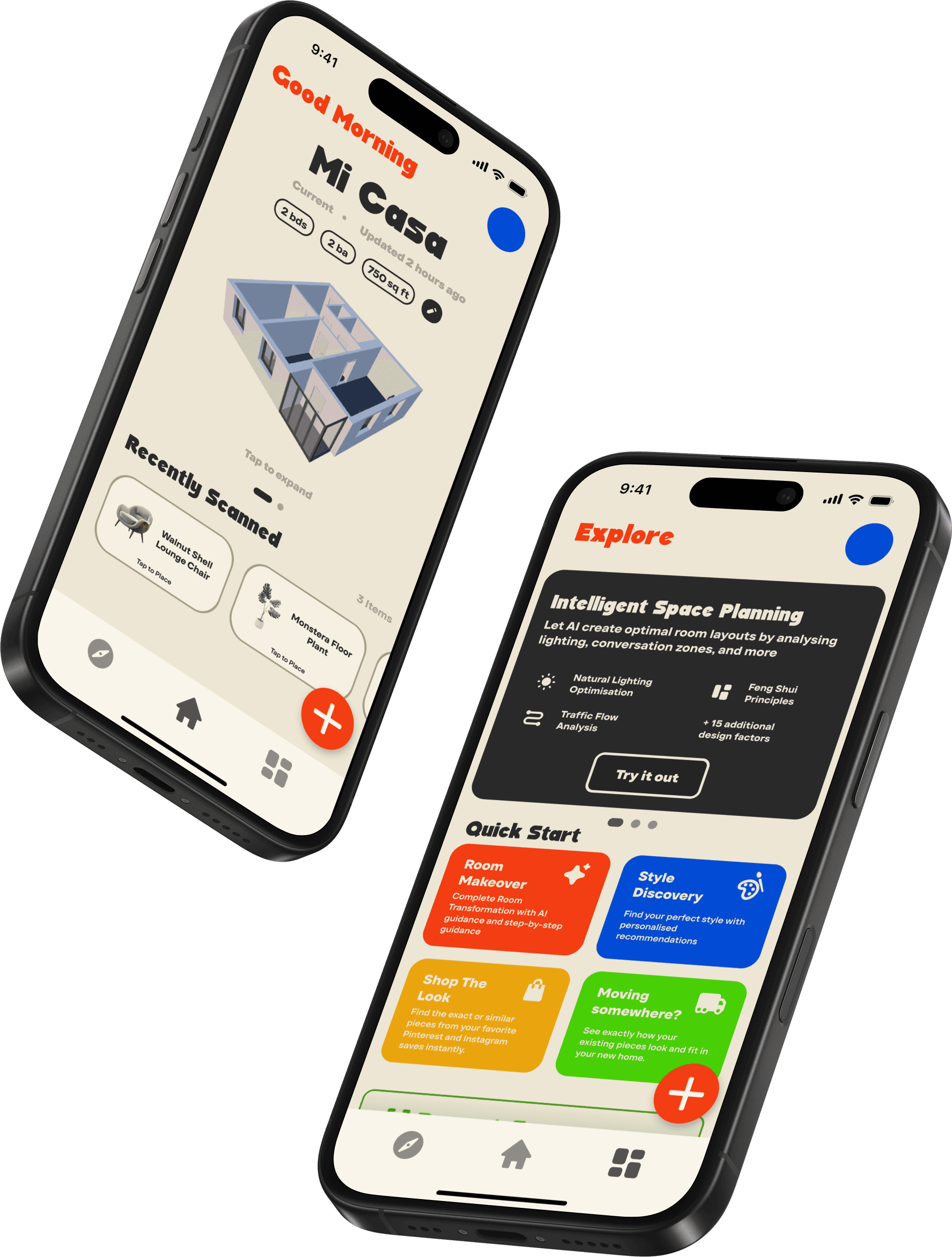
Upon opening the app, the user isn't immediately thrust into a camera view and Instead, they are greeted with a warm, isometric representation of their current space. This grounds the user, confirming that the app "knows" their environment before asking them to modify it.
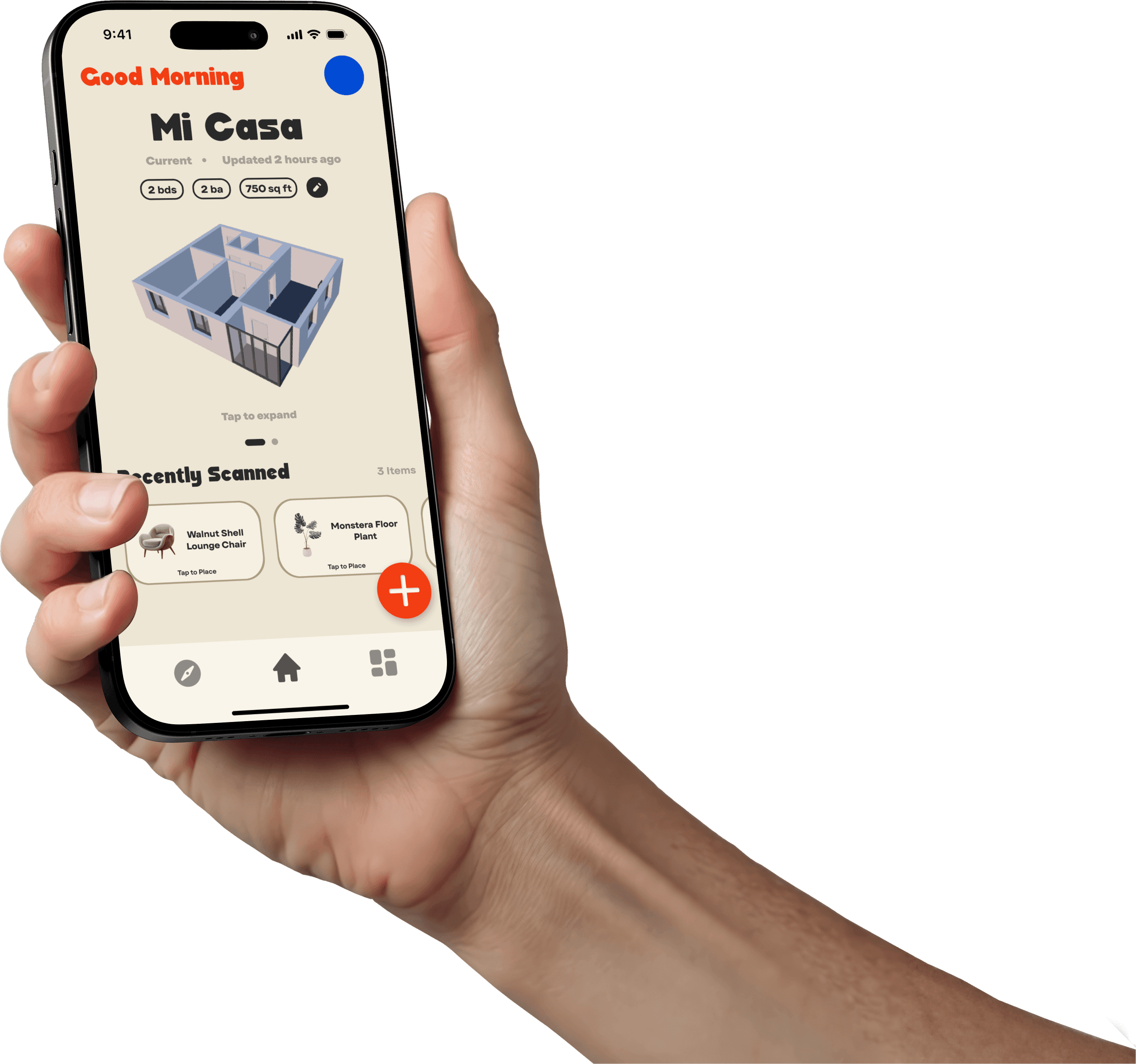
Tapping the room model triggers a popup providing a bird's-eye view and high-level metrics (square footage, room count). Tapping individual rooms would show you a visual of what is in each room.
The explore page
To the left of the home screen lies the Explore page. This page serves to inspire those who really feel the "lack of guidance" when it comes to arranging their home. Some of the features in this section utilise the room data to offer AI-driven suggestions (e.g., "Feng Shui based layouts") as well as the ability to shop for items that align with their existing collection.
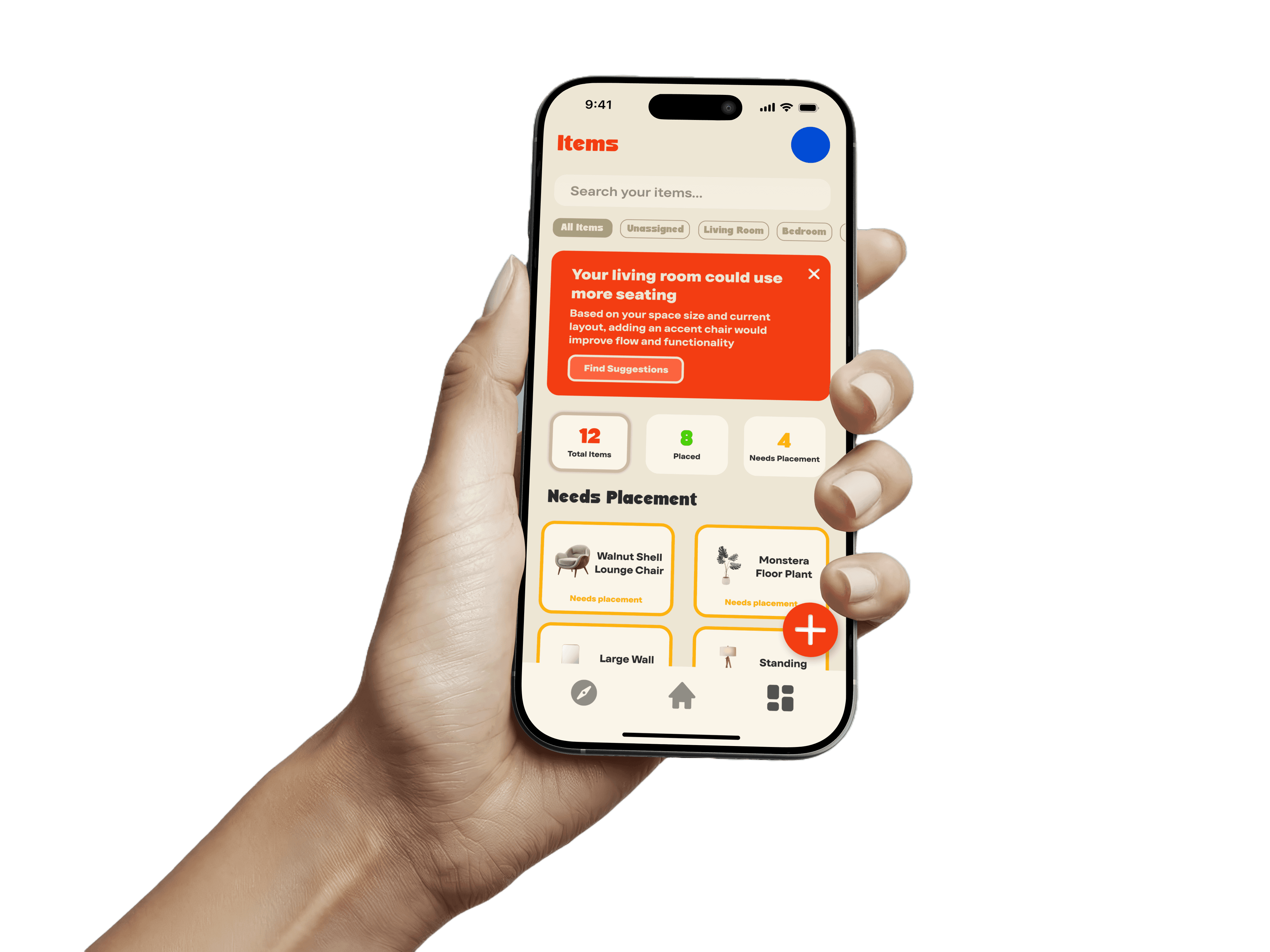
This page is where the users' furniture is all managed. Users can view their belongings categorised by status("placed" vs "needs placement"). By separating the logistical task of tracking items from the visual task of placing them, the app reduces decision fatigue. The 'Items' list handles the memory work, allowing the user to focus purely on how their space looks and feels.
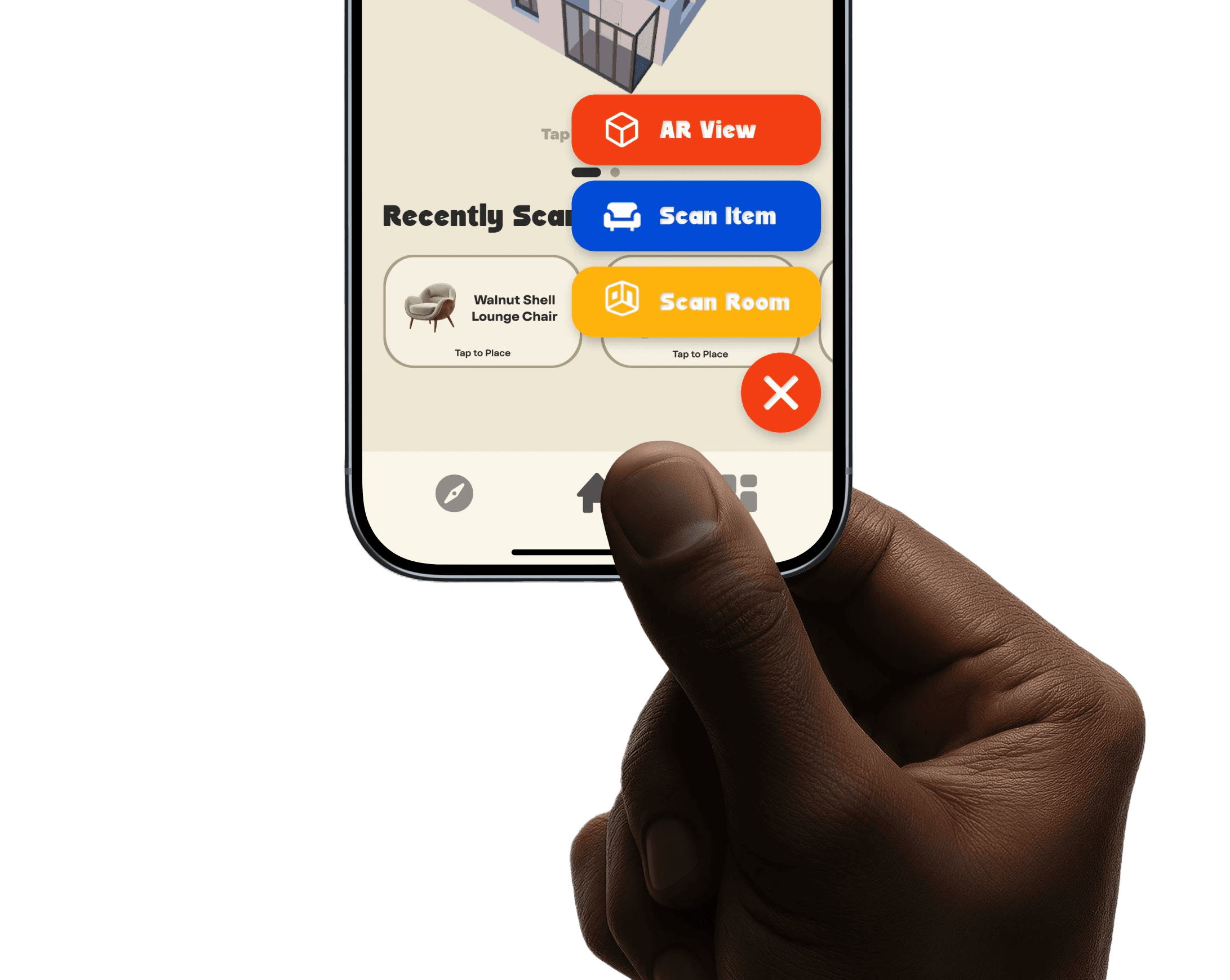
NTR-AR's Floating Action Button (FAB) serves as the gateway to the camera and the AR features. By grouping the high-friction actions (AR View, Scan Item, Scan Room) into a single expandable menu, the main interface remains uncluttered while keeping core functionality accessible in the natural zone occupied by your thumb(switchable for left and right handed users).
The visual language of the original MVP was purely functional, relying on standard iOS system components and some minimal visual add ons. For the redesign, I wanted to strip away the clinical and frankly boring feel and replace it with an aesthetic that felt nostalgic, tactile, and sunny.
I was inspired by The "Leisure" Aesthetic Drawing inspiration from the retro branding of Vacation Inc, I developed a palette that would make moving and decorating have a more fun feel.
I moved away from pure white backgrounds (#FFFFFF) which can cause eye strain, opting instead for a warm cream base.
#EDE6D4: Used for backgrounds
#292929: Used for primary text. softer than pure black, reducing contrast against the cream
#014BD5: primary brand colour
#F33D12: primary brand colour
FDB20D: primary brand colour
Typography
The type pairing was chosen to balance high readability with strong character
Headings
Surreal Winner
Surreal winner is a very bold, slightly eccentric display font used for the logo and top-level headers. Its curvy, unexpected geometry adds a Retro touch to the interface, reinforcing the app's friendly personality.
Body Copy
TT Firs Text
TT Firs Text is a modern geometric sans-serif. I picked this for its high legibility at all sizes.
I designed a custom app icon and logo mark that encapsulates the "Digital Home" concept. The iconography throughout the app uses filled, rounded forms to match the Surreal Winner typeface.